

Most guides on how to track my fleet start with hardware specs and subscription tiers. Having deployed tracking across operations ranging from a dozen service vans to over a thousand shipping containers, I can tell you: the device is never the hard part. I worked with a 150-truck fleet spending $63,000 a year on tracking. Their dispatcher was still calling drivers on cell phones to find who was closest to the next job.
The system worked. Data flowed. Nobody had connected it to an actual workflow.
That gap is what this guide addresses. Fleet management software alone crossed $10 billion in 2025, growing at nearly 20% annually. A lot of that money lands on systems nobody uses past the first month. Below, I’ll break down what a working fleet tracking setup looks like, what it actually costs, where rollouts fail, and how to pilot one without betting your entire budget upfront.
What Fleet Tracking Actually Means in 2026
At its simplest: a device in a vehicle sends position data to a cloud platform so someone can look at a map. That answers “where is truck 7 right now?” and not much else.
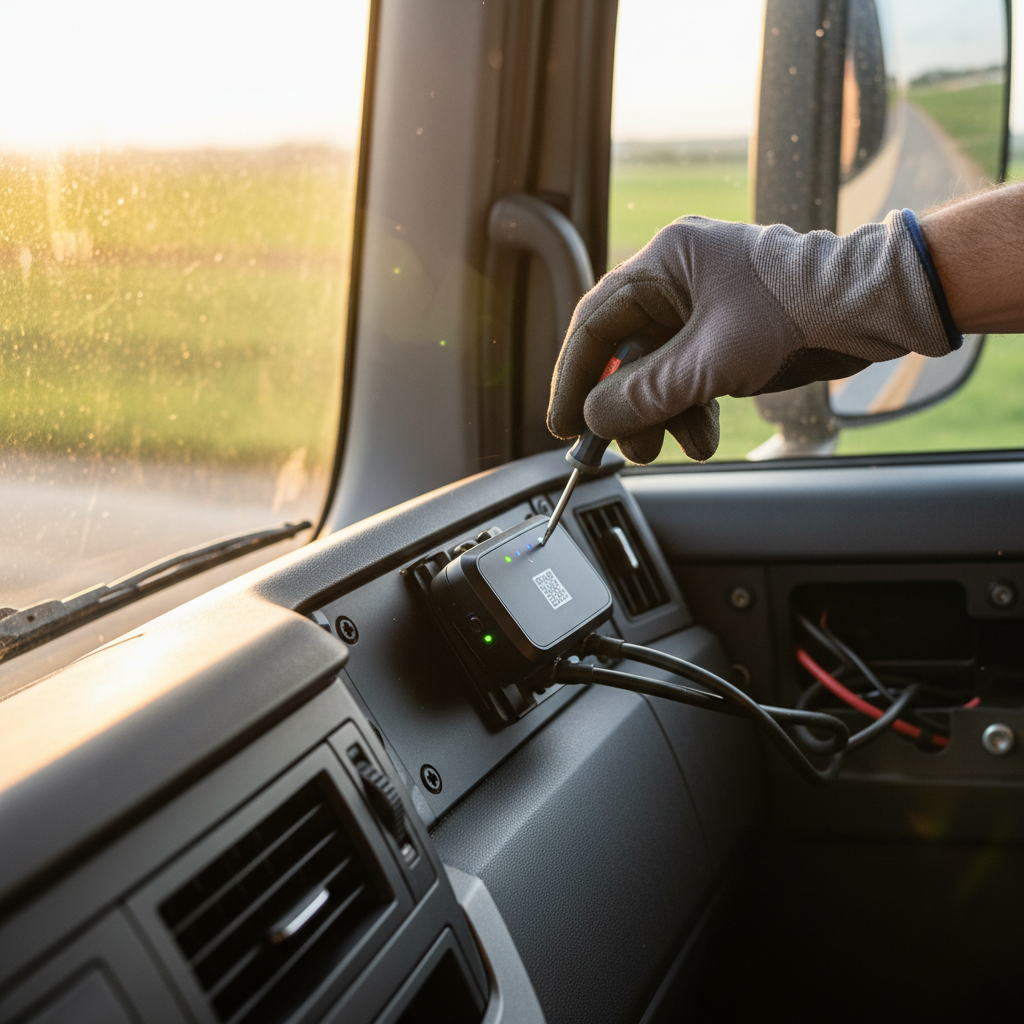
Telematics goes further. A telematics device plugs into the vehicle’s OBD-II port or connects via CAN bus, reads engine diagnostics, measures driving behavior, and transmits all of it alongside GPS coordinates. A standard telematics unit includes a GPS receiver, SIM card, modem, vehicle connection port, and accelerometer. GPS tells you where. Telematics tells you where, how, and often why.
A system that drives real operational decisions has six layers:
| Layer | What it does | Question to ask before you buy |
|---|---|---|
| Positioning (GPS/GNSS) | Calculates location and time from satellite signals | What’s the update interval? Does it hold up in garages, urban canyons, and rural dead zones? |
| Vehicle interface | Reads OBD-II or CAN bus: engine faults, odometer, engine hours | Is the device compatible with every make, model, and equipment type in your fleet? |
| Connectivity | SIM and modem carry data over cellular networks | What happens when a vehicle loses signal? Does the device buffer data locally and resend, or does history disappear? |
| Cloud platform | Normalizes raw data into maps, alerts, dashboards, reports | Can you export data via API, or are you locked into one vendor’s interface forever? |
| Integrations | Connects to dispatch, maintenance, fuel cards, payroll, customer portals | Does the platform plug into systems you already run, or does it create another silo? |
| Workflow | Converts a signal into an accountable action: work order, driver call, theft escalation | Who receives the alert, and what are they expected to do within 15 minutes? |
Most buying conversations stop at layer four: the dashboard. That’s the map. Layers five and six are where tracking becomes an operating system instead of a screen nobody checks. This integration mindset aligns with broader Industry 4.0 implementation principles, where IoT data feeds automated workflows rather than isolated dashboards.
One technical point that gets overlooked: cellular dead zones. When a vehicle enters an area without coverage (rural highways, underground facilities, dense industrial corridors), the device should buffer GPS readings locally and upload them once signal returns. If a vendor can’t explain their offline buffering policy, expect gaps in trip history on exactly the routes that matter most.
If your fleet includes electric vehicles, add battery state of charge, range estimate, and charging status to the list of required signals. A tracking platform that can’t tell you whether a truck will make it to the next stop is solving yesterday’s problem.
Vehicles Are the Easy Part. Assets Are the Blind Spot.
Here’s what I encounter in the field that fleet tracking articles almost never mention: the vehicle usually isn’t the thing that goes missing.
Modern trucks and vans increasingly ship with factory telematics. Ford, GM, and others offer built-in tracking. GSA’s federal fleet includes telematics on every leased vehicle at no additional cost, covering GPS, trip history, geofencing, engine data, and maintenance alerts. For powered vehicles, the location problem is largely solved.
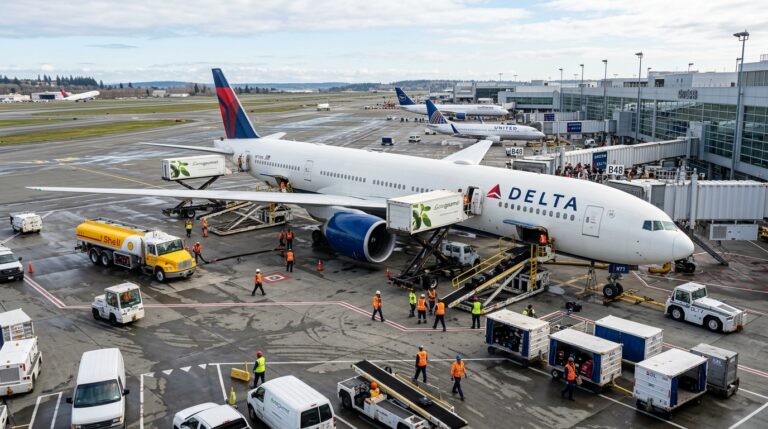
The blind spot is everything that isn’t a powered vehicle. Ground support equipment on airport ramps is a classic example, which is exactly how aviation companies track critical equipment. The same visibility gap applies on the water, where knowing how to track a boat at sea demands its own class of tracker.
Trailers sitting in customer yards for weeks. Containers cycling through ports with zero visibility between drop-off and pickup. Ground support equipment scattered across airport ramps. Reusable packaging that leaves your facility and never comes back.
This is the gap between shipment tracking and asset tracking. Shipment tracking follows a load to delivery; the job ends when the package arrives. Asset tracking follows the physical asset through its full lifecycle: deployment, use, dwell time, return, maintenance, redeployment. Containers in particular demand their own visibility playbook, which is why understanding how to track ocean shipment matters for network-wide fleets, especially when you learn how to track ocean freight with incomplete data. The same visibility challenge extends to the vessels themselves, where knowing how to track ships in the ocean reveals a different set of tools and blind spots. When a fleet operator tells me 15% of their trailer pool is unaccounted for at any given moment, the issue isn’t GPS technology. Nobody put a tracker on the non-powered assets. If you need to create an asset tracking system from the ground up, the approach differs significantly from vehicle-only solutions.
A $30/month vehicle subscription won’t solve the mystery of where your $40,000 trailer has been parked for 19 days. That requires a different class of device: long-battery-life trackers built for unpowered equipment, reporting position via GNSS and cellular without needing the vehicle’s electrical system. These devices run for months or years on a single charge, checking in at configurable intervals.
If you’re evaluating fleet tracking, the question worth asking is whether the vehicle is the only thing worth tracking, or whether the real cost hides in the assets that travel with it.
What Fleet Tracking Costs (and What Vendors Leave Out)
Most vendors quote a per-vehicle monthly fee and let you assume that’s the whole picture. It isn’t.
The US Chamber of Commerce puts typical GPS fleet tracking at $20 to $45 per vehicle per month for small businesses. Hardware runs from about $40 for a plug-and-play OBD-II unit to $300+ for ruggedized devices with longer battery life or advanced sensors. Some vendors bundle hardware into the subscription; others charge separately.
The sticker price is only the first line item. Here’s what often shows up later:
- Professional installation for hardwired units ($50 to $150 per vehicle)
- Cellular data fees billed per device per month
- Video storage and AI event processing, which can double the monthly per-vehicle cost
- ELD compliance modules for regulated carriers
- API access and data export beyond the basic dashboard
- Replacement hardware when devices fail or cellular networks sunset (the 3G shutdown stranded thousands of trackers)
- Early termination fees on multi-year contracts
The right approach: request a five-year total cost of ownership covering every line above. Divide by the number of tracked units (vehicles plus non-powered assets) to get a true per-unit monthly figure. Compare that against credible operational savings.
BSR’s case study on UPS ORION reports an average route reduction of 6 to 8 miles per driver per day, translating into 100 million fewer miles and roughly 10 million gallons of fuel saved annually across their network. You are not UPS. But the principle scales down cleanly: tracking pays for itself only when data connects to decisions that change a cost line. If nobody acts on the alerts, you’re paying for a map.
Safety is the other major ROI lever. Industry research associates coaching programs backed by telematics data with significant reductions in unsafe driving events and speeding. But the evidence is mixed across crash types, and vendor ROI calculators are marketing materials, not audited projections. The pilot (covered below) is how you get real numbers for your operation.
ELD, Compliance, and Why a GPS Dot Is Not a Legal Record
If your fleet includes commercial motor vehicles subject to US hours-of-service rules, a GPS tracker and an Electronic Logging Device are not interchangeable.
FMCSA’s ELD rule requires the device to synchronize with the vehicle’s engine to automatically record driving time for duty-status records. A GPS tracker shows where a vehicle traveled. An ELD creates a legally compliant record. Different data requirements. Different certification. Different enforcement consequences.
This distinction became more urgent this year. FMCSA removed five devices from the registered ELD list in August 2026. Starting October 6, 2026, carriers still using those revoked devices are treated as operating without an ELD. Compliance is not a one-time purchase. You need an ongoing process to monitor device registration status, firmware updates, and vendor notices.
For fleet operators evaluating tracking: separate the compliance question from the visibility question. A regulated carrier needs a certified, currently registered ELD first. Broader telematics and asset tracking are a second, separate investment. Trying to cover both with one cheap device usually covers neither.
Privacy and Driver Trust: The Conversation You Cannot Skip
Every fleet tracking deployment is also a workforce management decision. I’ve watched otherwise solid rollouts collapse because nobody addressed the human side before powering on devices.
The legal landscape is tightening. California’s CCPA classifies precise geolocation as sensitive personal information, with specific rights around disclosure, deletion, and limiting use. The employee exemptions that once softened enforcement for fleet operators are no longer in effect. Other states are moving in the same direction.
The risk is not hypothetical. A 2026 class-action complaint alleges that AI-powered fleet dashcams collected vehicle images, identities, timestamps, locations, and biometric data on what plaintiffs describe as a massive scale. Those are allegations, not a final ruling. But the lawsuit signals where legal and public sentiment boundaries are heading.
Before activating a single device, define:
- What data is collected, and the stated business purpose for each type
- Whether driver-facing video is stored continuously, triggered only by events, or not used at all
- Who has access to driver-level location data, and under what circumstances
- Retention periods and automatic deletion schedules
- A process for drivers to contest flagged events or incorrect records
- Written notice provided to every driver before tracking goes live
The companies that get this right treat transparency as a feature, not a legal checkbox. Tell drivers what you’re tracking and why. Show them the dashboard. Give them a channel to challenge false positives. In my experience, resistance drops sharply when people understand the system exists to protect them too (accident reconstruction, false complaint defense, route verification) and not just to monitor them.
How to Run a Pilot That Proves ROI in 90 Days
Don’t sign a three-year contract before confirming the system works for your specific vehicles, routes, workflows, and people. Run a pilot.
A 30 to 90 day trial on a representative subset (10 to 20 vehicles, or one depot) gives you real data to make the investment decision.
Spend the first two weeks measuring your baseline. Before installing anything, document average fuel cost per vehicle per week, idle hours, missed service windows, maintenance events from late detection, and asset utilization rate. You cannot measure improvement without a “before” picture.
In weeks three and four, deploy devices on pilot vehicles and, if applicable, on a sample of non-powered assets like trailers or containers. Configure only the alerts that connect to your priority decisions. Five is a practical ceiling: unauthorized movement, excessive idle, geofence breach, speeding above a threshold, and maintenance due date. Adding more invites alert fatigue. Safety researchers warn that excessive notifications overwhelm users and degrade system effectiveness rather than improving it.
From week five through ten, run normal operations with tracking active. Monitor the same metrics you baselined. Watch how dispatchers, drivers, and managers actually interact with the platform. If nobody is logging in by week seven, the tool isn’t solving a real enough problem, or it’s creating more noise than signal.
In the final two weeks, compare pilot data to baseline. Calculate the cost of the pilot (hardware, subscription, installation, staff time) against measurable savings or avoided costs. Collect feedback from every user. If the numbers work and the team accepts the system, scale. If they don’t, you’ve invested a fraction of a full rollout to learn that this particular solution wasn’t the right fit.
Three questions the pilot must answer before you scale:
- Did the system produce at least one operational decision per week that would not have happened without it?
- Did coverage, accuracy, and update frequency hold up across your actual routes, including rural stretches, urban canyons, and indoor yards?
- Did drivers accept the system, and did the privacy framework prevent grievances?
If any answer is no, fix the gap before expanding. A bad rollout poisons organizational trust and makes the next attempt harder to sell internally.
Fleet tracking starts with a question about vehicles. For most operations I work with, the bigger question turns out to be about assets: trailers, containers, equipment, and tools representing real capital that sits invisible across a network. If your tracking needs extend beyond vehicle GPS into full-cycle asset visibility, that’s the kind of deployment we design at Datanet IoT Solutions. Browse our asset tracking device catalog or reach out directly to talk through your setup.

Frequently Asked Questions
What is the simplest way to start tracking my fleet?
Install a plug-and-play GPS telematics device in each vehicle (OBD-II units need no professional installation), activate cellular service, and configure a dashboard with three to five alerts: unauthorized movement, excessive idle, geofence breach, speeding, and maintenance due. Start simple. Add complexity only as your team builds the habit of acting on the data.
Is a GPS fleet tracker the same as an ELD?
No. A GPS tracker reports position and movement. An ELD synchronizes with the engine to record driving time for hours-of-service compliance. Regulated carriers need a certified, currently registered ELD. A basic GPS tracker does not satisfy that legal requirement. Check FMCSA’s registered device list before purchasing.
How much does fleet tracking cost per vehicle?
Typical subscriptions run $20 to $45 per vehicle per month. Hardware adds $40 to $300+ depending on device type. Installation, cellular fees, video storage, ELD modules, and API access often appear as separate charges. Request a five-year total cost of ownership from any vendor before committing.
Can I track non-powered assets like trailers and containers?
Yes, but vehicle telematics devices won’t work for them. Non-powered assets need battery-operated trackers using GNSS and cellular connectivity, built to last months or years between charges. These devices report position at configurable intervals and are the foundation of asset tracking: visibility into the full cycle of deployment, dwell, return, and reuse.
Will my drivers resist being tracked?
Possibly, and their concerns may carry legal weight under privacy laws like California’s CCPA. The most effective approach: provide written notice before activation, explain clearly what data is collected and why, highlight benefits for drivers (accident defense, route verification), and establish a process to challenge false flags. Transparency reduces resistance more reliably than any software feature.
How accurate is real-time fleet tracking?
Consumer-grade GPS is typically accurate within a few meters under open sky. Accuracy degrades in urban canyons, garages, tunnels, and dense industrial sites. The more practical question is update frequency: how often does the platform refresh position, and does the device buffer data when cellular coverage drops? Test on your actual routes before relying on vendor accuracy claims.







 +1 508 292 2210

6 Responses