

Estimated cargo theft losses across the U.S. and Canada hit $725 million in 2025, up 60% from the prior year, according to Verisk CargoNet’s annual analysis. And that figure covers supply chain cargo only, not the excavators parked overnight on job sites or the tooling scattered across three facilities with no one watching.
Geofence alerts for equipment are supposed to close that gap. Draw a virtual boundary around your yard, warehouse, or job site. Get notified when something crosses it. Sleep better.
The concept is simple. Making it actually protect assets in the field is where most deployments quietly fall apart. Not because the technology fails (it usually works), but because the alert is treated as the finish line instead of the starting gun.
I’ve spent over 15 years deploying IoT tracking across aviation, logistics, and industrial operations. The pattern repeats: a company invests in geofencing, configures boundaries, gets flooded with notifications for three weeks, then turns them off or ignores them. The equipment that disappears next month goes unnoticed because the system cried wolf too many times.
This guide is about building geofence alerts that actually get answered.
What a Geofence Alert Does (and What It Cannot)
A geofence is a virtual perimeter mapped onto a real-world area. When a tracked asset crosses that boundary (entering or leaving), the system generates a notification: email, SMS, push alert, or a webhook into another platform.
That’s it. It detects a boundary crossing. It does not physically prevent removal. It does not immobilize the equipment. It does not call the police. In practical terms, it is an entry/exit event scoped by asset category, schedule, and recipient. The distinction matters because most equipment managers buy geofencing expecting protection. What they get is detection.
Detection is valuable, but only when it feeds a response. The practical architecture behind a useful geofence alert has five stages:
- Identify the asset (unique device or tag association)
- Obtain a location observation (GNSS fix, Bluetooth gateway detection, RFID read)
- Evaluate a boundary rule (is this position inside or outside the geofence?)
- Deliver an event (notification to a person or system)
- Initiate a response (human action, escalation, evidence collection)
Most vendors sell stages one through four. Stage five is yours to build. And it is the stage that determines whether you recover the asset or just know it’s gone.
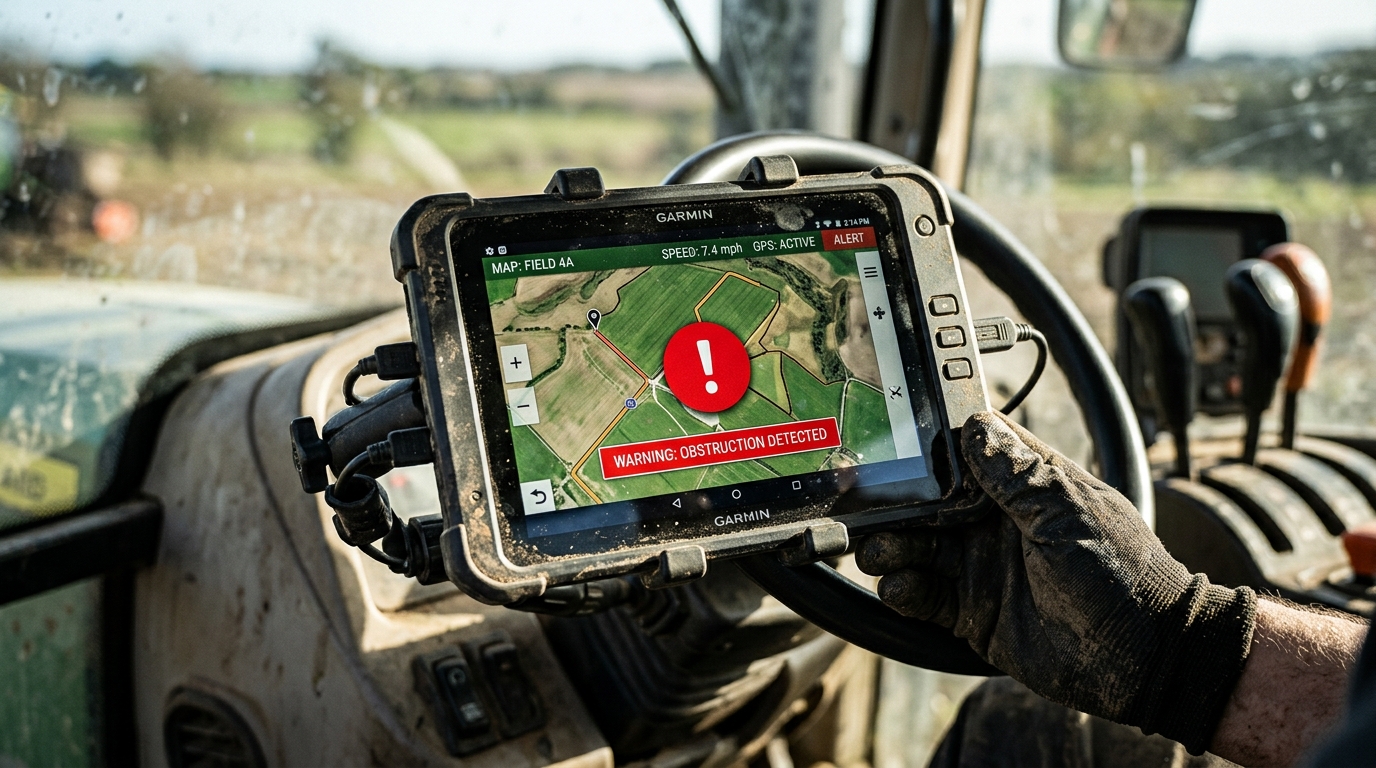
Three Alert Types and When Each Earns Its Keep
Not all boundary crossings mean the same thing. Conflating them is a fast track to alert fatigue.
| Alert Type | What It Detects | Best Use Case | Common Mistake |
|---|---|---|---|
| Exit alert | Asset leaves a defined boundary | Theft prevention, unauthorized removal from a job site or storage yard | Triggering on every authorized dispatch, flooding the inbox |
| Entry alert | Asset enters a defined boundary | Confirming delivery, logging arrival at a maintenance depot or rental return yard | Ignoring it entirely because “arrivals aren’t risky” |
| Dwell alert | Asset remains inside (or outside) a boundary beyond a set time | Spotting idle equipment on the wrong site, identifying underutilized assets in a container pool | Setting the dwell threshold too short, generating noise from normal loading/unloading |
The dwell alert is the one most deployments skip, and it’s often the most operationally valuable. An excavator sitting on a completed job site for nine days isn’t stolen, but it’s costing you. Rental companies lose billable days to equipment idling at the wrong location. Manufacturers lose throughput when returnable packaging stacks up at a customer’s dock instead of cycling back.
This is where equipment tracking separates from shipment tracking. A shipment tracker’s job ends at delivery. An asset tracker follows the full cycle: deployment, use, idle time, return, redeployment. Dwell alerts are the mechanism that makes that cycle visible.
Android’s geofencing documentation recommends dwell transitions specifically to avoid false entry alerts from brief pass-throughs. The principle applies universally: a configurable loitering delay determines how long the asset must remain inside (or outside) a zone before the system considers it a real event.
GPS Drift, Alert Fatigue, and Other Silent Failures
Here’s the reality nobody puts on the product page. GPS accuracy under open sky is roughly 4.9 meters on a smartphone. Near buildings, bridges, stacked containers, or tree cover, it gets worse. Reflected signals (multipath) can place a stationary asset on the wrong side of a boundary, triggering an exit alert for equipment that hasn’t moved an inch.
In port operations and dense construction sites, I’ve seen GPS drift generate three to five false alerts per device per day. Multiply that across 200 tracked assets and you have a thousand notifications a week that mean nothing. The operations team stops checking. Then the one real alert, the one that matters at 2 AM on a Sunday, gets buried.
Three design decisions reduce this to a manageable level:
1. Boundary buffers. Don’t draw the geofence on the exact property line. Add 20 to 50 meters of buffer depending on the environment. This absorbs GPS wander without letting a real departure go undetected. Android’s documentation suggests a minimum 100 to 150 meter radius for reliable geofencing on consumer devices, though industrial-grade GNSS trackers can work with tighter boundaries.
2. Persistence requirements. Require the asset to remain outside the boundary for a defined period (two to five minutes is typical) before firing the alert. A truck briefly passing the fence line during a turn doesn’t warrant a notification. An asset that’s 300 meters away for ten minutes does.
3. Schedule-based suppression. If your yard operates 6 AM to 6 PM, movement at 2 PM is probably authorized. Movement at 2 AM is not. Time-based rules cut noise dramatically. A well-configured movement-based theft alert uses the last known GPS position at the end of the defined working period as its baseline, so any displacement detected overnight is flagged while daytime activity is suppressed.
One trap that catches even experienced fleet managers: a GPS-based movement alert will also fire when an asset is being transported on a flatbed truck. If you routinely move equipment between sites, build authorized-transfer exceptions into the system. Otherwise every legitimate dispatch becomes another false alarm eroding trust in the platform.
After the Alert Fires: Building a Response That Works
An alert without a response plan is an expensive log entry.
I’ve worked with companies that had beautifully configured geofences and zero documented response protocols. When the first real theft alert fired on a Sunday night, nobody knew who was supposed to act, what evidence to collect, or whether to call police or private security. The equipment was gone by Monday morning.
Every critical alert needs four things predefined:
- An owner. Not “the team.” A specific person, with a backup, accountable for acknowledging the alert within a defined window.
- An escalation path. If the primary doesn’t respond in 15 minutes, who gets the next notification?
- Current location evidence. The alert should include (or link to) live coordinates, a breadcrumb trail, and any supporting sensor data. Without it, the responder is guessing.
- A safe recovery procedure. Self-recovery of stolen equipment is dangerous. Define in advance when to involve law enforcement, how to share tracking data with them, and what not to do.
Real cases illustrate both sides. Contractor Ben Kasper tracked a stolen Bobcat T66 to Chicago using a hidden GPS unit, avoiding a roughly $95,000 loss. But the thieves had already found and removed a decoy tracker. Recovery hinged on a surviving second device and Kasper’s willingness to drive to the location. That’s a near-miss story, not a guarantee. Effective geofence asset monitoring requires redundancy and response protocols that go beyond basic alerts.
Tenna’s Nor-Cal Pipeline case tells a different story: a $500,000 CCTV van was recovered within hours using live GPS coordinates combined with video evidence. The combination (not just the alert) enabled a fast, evidence-backed response.
The pattern is consistent. Companies that actually recover equipment are the ones where the alert triggers a process, not just a phone buzz.
Matching Hardware to the Environment
A geofence alert is only as reliable as the location data feeding it. And location data depends on the hardware, the environment, and the connectivity available.
| Technology | How It Works | Best Fit | Key Limitation |
|---|---|---|---|
| GNSS + cellular | Autonomous GPS fix transmitted via LTE-M or NB-IoT | Outdoor mobile assets: heavy equipment, trailers, generators, containers | Performance degrades near buildings and covered areas. Battery life depends on reporting frequency. |
| Bluetooth tags + gateways | Tags detected by nearby connected devices or fixed gateways | Small tools, attachments, components within a facility or near a connected vehicle | No autonomous GPS. A tag only “reports” when a gateway is nearby. |
| Passive RFID | Tags energized by reader antennas at fixed checkpoints | Inventory checkpoints, warehouse portals, tool crib management | Range limited to installed reader infrastructure. No continuous positioning. |
| UWB RTLS | Real-time positioning using installed anchor infrastructure | High-precision indoor tracking in manufacturing, MRO hangars, hospitals | Requires fixed infrastructure. Cost scales with coverage area. |
| Cellular + satellite | Terrestrial connectivity with satellite fallback for remote areas | Mining, offshore, agriculture, remote infrastructure beyond cellular reach | Satellite connectivity introduces additional energy and cost trade-offs. |
These are complementary technologies, not interchangeable accuracy tiers. A Bluetooth tag on a $200 impact wrench serves a completely different purpose than a GNSS tracker on a $300,000 generator. Mixing them in a single deployment is often the right answer, as long as you understand what each can and cannot tell you about an asset’s position.
For outdoor equipment fleets, GNSS trackers with on-device geofence logic offer the most reliable boundary detection. Digital Matter devices download geofence boundaries directly to the hardware, so crossing detection happens locally even if cellular connectivity is momentary. The device logs the event and transmits it once the connection is restored. That’s fundamentally different from cloud-only evaluation, where a missed position update means a missed alert.
At Datanet, we deploy this architecture across aviation ground support equipment, freight containers, and industrial fleets. The Oyster3 and Oyster Edge are the workhorses for outdoor mobile assets where battery life and rugged form factor matter more than sub-meter precision. For the full hardware catalog, our asset tracking devices page breaks down the options by use case.
Configuration That Survives the First Week
Most geofence deployments fail not because of bad hardware but because of bad setup. The system works on day one, generates too many alerts on day three, and gets ignored by day seven.
Six principles that keep it alive:
Test with transport, not just theft. Before going live, put a tracker on a truck and drive through your geofence boundary. Note how quickly the alert fires, how the notification arrives, and whether the location shown is accurate enough to act on. Then test on a known inter-site transport route. If the system can’t distinguish a legitimate dispatch from a theft, fix the rules before scaling.
Start with high-consequence assets. Don’t fence everything on day one. Pick the 20 assets whose loss would hurt most: generators, specialized attachments, high-value tooling. Get the alert-to-response workflow right on those before expanding.
Define “authorized” before you define “unauthorized.” Create a transfer whitelist: dispatches, scheduled maintenance moves, inter-site relocations. If these generate alerts, your team will tune them out within the week.
Keep boundaries simple. Polygonal geofences can follow property lines precisely, but precision means more edges where GPS drift can trigger false crossings. In most cases, a circle or simple rectangle with adequate buffer outperforms a 47-point polygon traced around every corner of the yard.
Assign alert owners explicitly. “Everyone gets notified” means nobody responds. One owner per alert category, with defined escalation. If the exit alert for high-value equipment fires at 11 PM, the night security lead should see it, not the fleet manager who’s asleep.
Review and prune monthly. Job sites close. Equipment moves to new locations. A geofence around a completed project is just noise. Build a monthly review into your operations calendar: archive inactive zones, adjust boundaries for new sites, and check response times from the previous period.
The Privacy Question You Can’t Ignore
Tracking equipment means tracking where people operate that equipment. This isn’t hypothetical risk.
The FTC’s complaint against Gravy Analytics alleged that geofencing technology was used to identify consumers visiting sensitive locations, including medical facilities and places of worship. That’s a consumer-data case, not an equipment case. But the underlying principle transfers: precise location histories become sensitive when linked to people.
Equipment tracking programs should minimize unnecessary worker-identifiable location data. Three practical steps:
- Track the asset, not the operator. If the system associates every location ping with an employee ID, you’ve built a surveillance tool, not an equipment tracker.
- Define retention limits. Do you need six months of minute-by-minute breadcrumbs, or does daily summary data serve the operational need? Shorter retention reduces exposure.
- Communicate transparently. Workers who understand the system tracks equipment for theft prevention and utilization cooperate. Workers who discover they’re being monitored work around it.
This isn’t only about legal compliance. It’s about keeping the workforce aligned with the system instead of treating it as a threat.
Three Outcomes That Justify the Investment
When geofence alerts are properly configured, filtered, and backed by response protocols (the same discipline that governs IoT-based equipment for municipalities), three outcomes consistently show up:
- Faster recovery, lower loss severity. The difference between a write-off and a recovered machine is often a matter of hours. A functioning alert with an accountable responder compresses that window. Verisk CargoNet’s 2025 analysis puts the average cargo theft value at $273,990, up 36% from the prior year. Even one recovery pays for years of tracking.
- Reduced idle asset cost. Dwell alerts expose equipment sitting on the wrong site or cycling too slowly through your fleet. GE Healthcare documented a hospital that located 28 idle infusion pumps before purchasing 40 new ones, cutting planned capital spend by 70%. The same logic applies to any equipment pool: see where assets are dwelling and you redeploy instead of rebuy.
- Auditable proof of use. For rental fleets and shared equipment pools, geofence entry and exit logs create timestamped records of when assets arrived and departed. That resolves billing disputes, substantiates insurance claims, and eliminates arguments about “when did the machine actually leave my site?”
The global asset tracking market is forecast to grow at nearly 12% CAGR through 2034. That growth isn’t driven by technology enthusiasm. It’s driven by operational teams tired of invisible assets and unaccountable losses.

Frequently Asked Questions
What is a geofence alert for equipment?
A notification triggered when a tracked asset enters or exits a virtual boundary drawn around a job site, yard, or facility. It detects movement across the boundary but does not physically prevent removal. Its value depends entirely on the response protocol behind it.
How accurate are equipment geofence alerts?
GPS accuracy under open sky is roughly 4.9 meters on a smartphone. Near buildings, stacked containers, or tree cover, accuracy degrades due to signal reflection and obstruction. Industrial GNSS trackers typically outperform consumer devices, but boundary buffers and persistence settings remain necessary to prevent false triggers in real-world environments.
How fast should I expect a notification after a boundary crossing?
It depends on hardware, reporting interval, and connectivity. Android-based geofencing averages 2 to 3 minutes of background latency. Industrial trackers vary: some report within seconds over cellular, others batch updates to preserve battery. Ask your provider for documented end-to-end delivery time under your specific reporting configuration.
Do geofence alerts work without cellular coverage?
On-device geofence logic can detect a crossing without connectivity. But delivering a remote notification requires a communication path. Devices like the Digital Matter Oyster series log events locally and transmit once connectivity is restored. For truly remote sites, satellite-capable trackers extend coverage at the cost of higher power consumption and operating expense.
How do I reduce false geofence alerts?
Use boundary buffers (20 to 50 meters beyond the actual perimeter), persistence delays (require the asset to remain outside for 2 to 5 minutes before alerting), working-hour schedules, and authorized-transfer exceptions. Test with a real transport scenario before going live. Monthly boundary reviews prevent stale geofences from generating noise on completed job sites.
What should I budget for an equipment geofencing deployment?
Budget for the complete operating system: hardware, installation, cellular or satellite connectivity, software subscription, battery replacements, gateway infrastructure (if using Bluetooth tags), integration work, and response labor. Enterprise pricing is typically customized by asset count and deployment scope. Request equivalent service assumptions from each vendor before comparing quotes.
If your equipment fleet feels invisible once assets leave the yard, that’s the gap a properly built geofence system closes. Not just detection. Detection with a response. We build these systems for aviation, logistics, and industrial operations, and we can help you match the right hardware to the right environment without the trial-and-error phase. Talk to our team or reach us at info@datanetiot.com.








 +1 508 292 2210

2 Responses