

$304.6 million in estimated cargo theft losses in a single quarter. That is what CargoNet recorded for Q2 2026 across North America. When numbers like that land on an operations VP’s desk, the first question is usually: “Don’t we have tracking on those assets?”
Often, yes. But a location dot on a screen is not the same as a system that acts when that dot crosses a line it should not have crossed. Understanding how asset tracking geofencing works means looking past the map pin and into the chain of events that follows a boundary crossing. The fence itself is the least valuable part. What matters is what happens after the crossing is detected.
What Geofencing Does in Asset Tracking (and What It Does Not)
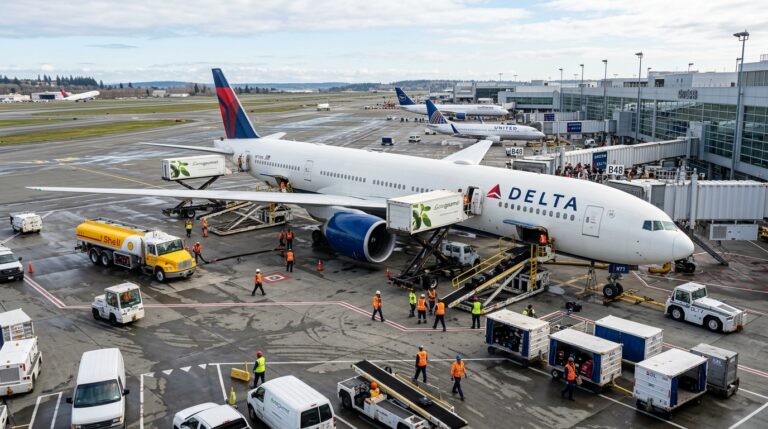
A geofence is a virtual boundary drawn around a physical area: a depot, a job site, an airport tarmac, a warehouse zone. When an asset’s reported position crosses that boundary, the system generates an event. Entry, exit, or dwell (staying inside for a defined duration). In aviation environments, where assets like ULDs and GSE move across tarmac zones, specialized tracking workflows handle the unique boundary and dwell requirements of airside operations.
That event can trigger a notification, update a record, start a workflow, or do nothing at all. The boundary does not physically stop anything. It does not lock a gate. It does not disable an engine (though some OEM platforms offer that as a separate function). A geofence is a detection mechanism, not a prevention mechanism.
This distinction matters because many organizations buy geofencing expecting a security solution and end up with a notification tool. The value only shows up when the detection connects to a defined response: who gets the alert, what authority they have, and how fast they can act.
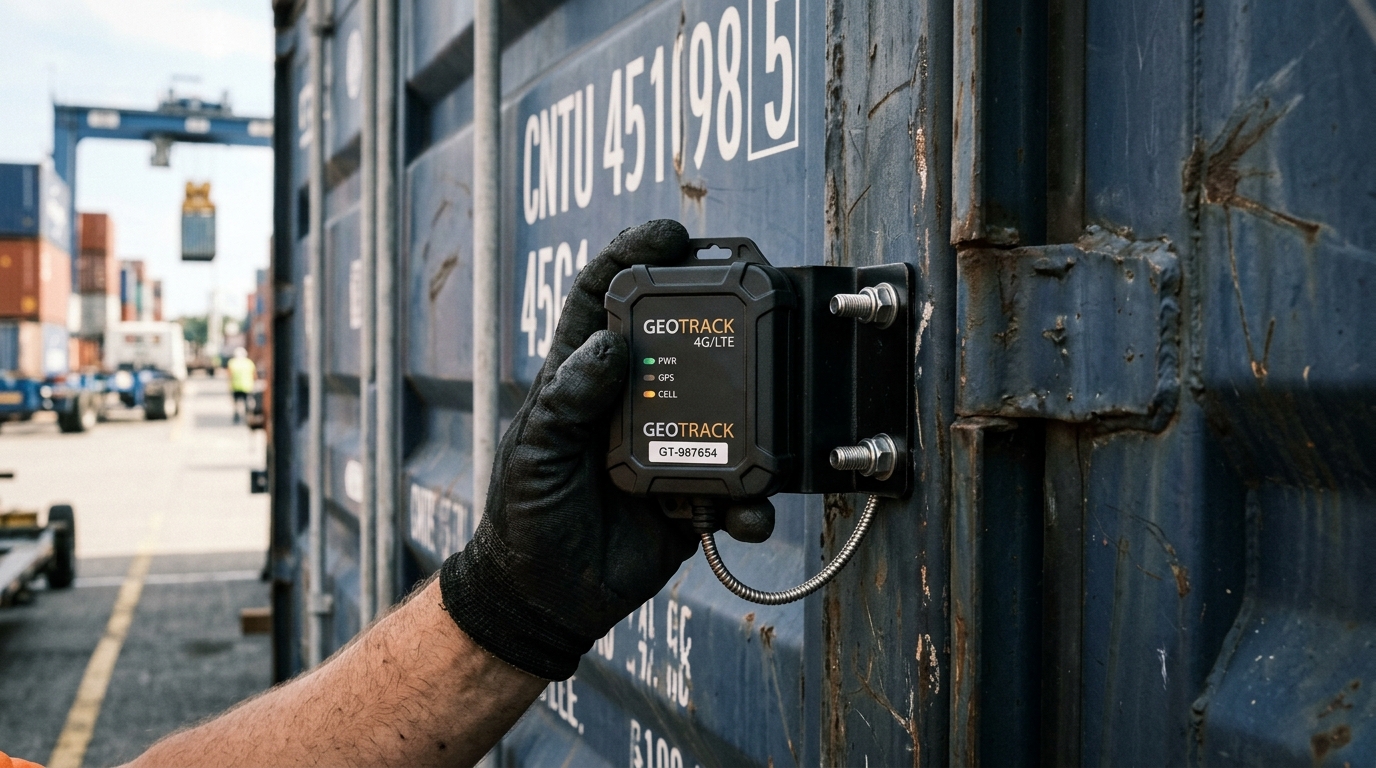
There is another distinction I see teams overlook constantly. Shipment tracking geofencing ends at delivery. The container arrives, the boundary event fires, job done. Asset tracking geofencing follows the asset through its entire cycle: deployment, use, return, dwell, maintenance, redeployment. If your geofence strategy only covers the outbound leg, you are solving half the problem.
The Five Layers: How a Geofence Event Actually Happens
Every working geofence system processes five layers, whether the vendor calls them that or not. Understanding these layers tells you where failures originate and where money gets wasted.
1. Identity
Before you track anything, the system needs to know what it is tracking. An asset ID tied to a physical device: a GPS tracker on a container, an RFID tag on a tool, a BLE beacon inside a ULD. Without reliable identity, a boundary event is just a coordinate with no operational meaning.
2. Position
The tracker establishes where the asset is. Outdoors, that usually means GNSS (GPS, Galileo, GLONASS). Indoors, it could be BLE signal strength, UWB time-of-flight, Wi-Fi triangulation, or RFID reader proximity. Each method has different accuracy, power consumption, and infrastructure requirements. GPS.gov reports typical smartphone accuracy of 4.9 meters under open sky, but buildings, metal structures, and urban canyons degrade that significantly.
3. Boundary comparison
Software compares the reported position against the stored fence geometry. A circle defined by center and radius. A polygon with vertices that follow a property line. The system checks: inside or outside? And critically, it checks against the previous state. An entry event only fires when the asset transitions from outside to inside. No prior state, no transition.
This is where a subtle problem lives. Amazon Location Service, for example, assumes a device was previously outside the fence if no prior position exists. So the first observation inside a boundary generates an ENTER event even if the asset was there all along. Multiply that across 500 assets on initial deployment and you get 500 false entry alerts on day one.
4. Rule evaluation
A boundary crossing without a rule is just data. The rule layer adds context: which asset categories trigger alerts? During which hours? Who receives them? Does a dwell threshold apply? Leading platforms support rules filtered by asset category, time of day, and project role, and can automatically assign arriving assets to job sites.
5. Response
This is where most implementations fall short. The alert fires. Then what? A push notification to a phone that is on silent? An email sitting in a shared inbox? Or a defined workflow where the dispatcher confirms, the field team responds, and law enforcement gets a GPS coordinate plus ownership documentation within 15 minutes?
Cable East, a construction firm tracking over 400 pieces of equipment, estimates $2.5 million in successful recoveries. But their result came from the full pipeline: GPS location, geofence-triggered alerts, plus law enforcement coordination with ownership evidence (titles, bills of sale). The geofence alone did not recover a single excavator. The response process did.
Matching Location Technology to the Asset
The most expensive mistake in geofencing is picking the wrong sensing layer. You do not need centimeter accuracy to know a shipping container left the port. And you cannot rely on satellite GPS to track surgical equipment inside a hospital wing.
| Technology | How it locates | Best fit | Key trade-off |
|---|---|---|---|
| GNSS/GPS | Satellite-derived coordinates | Outdoor assets: vehicles, containers, heavy equipment | Degrades indoors and near obstructions. Power-hungry if polling frequently. |
| BLE (Bluetooth Low Energy) | Signal strength estimated by nearby receivers | Indoor proximity zones | Low power, low cost, but zone-level accuracy without dense infrastructure. |
| UWB (Ultra-Wideband) | Radio timing via anchors; FiRa describes anchors reporting arrival times to a localization engine | Precise indoor positioning, asset finding | Requires installed anchor infrastructure. Sub-meter accuracy justifies the cost only at high asset density. |
| Passive RFID | Reader energizes and identifies a tag at short range | Choke points: doorways, loading docks, portals | Detects presence near a reader, not continuous position. |
| LPWAN (LoRa, LTE-M, NB-IoT) | Carries position data over wide areas | Remote or distributed assets with infrequent reporting | Connectivity coverage does not equal positioning precision. The network moves data; GPS or other sensors create the coordinate. |
The emerging pattern is layered tracking. Wide-area connectivity (cellular, satellite, LPWAN) for knowing which site an asset is at. Local radio (BLE, UWB) for finding it within that site. Trying to solve both problems with one technology usually means overpaying for outdoor tracking or underperforming indoors. For vehicle and mobile equipment fleets, understanding how fleet tracking systems integrate GPS with geofencing logic helps avoid these common deployment mistakes.
For outdoor assets like containers, GSE, and fleet vehicles, dedicated GPS trackers with multi-year battery life handle geofencing with minimal infrastructure. Devices like the Oyster3 or Oyster Edge report position at configurable intervals, balancing accuracy against battery endurance. That balance is a design decision, not a spec sheet checkbox.
Why Geofence Alerts Miss, Repeat, or Arrive Late
If you deploy geofencing at scale and never get a false alert, something is probably misconfigured. Here is what actually goes wrong.
GPS drift
A tracker sitting perfectly still on a loading dock will occasionally report positions that wander 5 to 15 meters in any direction. If the geofence boundary runs close to the asset’s resting position, those wandering reports can trigger repeated entry/exit events for an asset that has not moved. The fix: buffer zones (draw the fence larger than the physical boundary) or dwell thresholds (require the asset to remain outside for a minimum time before registering an exit).
Sampling gaps
A tracker reporting every 15 minutes might completely miss an asset that enters and leaves a zone within that window. You get no event at all. Increasing report frequency catches more crossings but drains the battery faster. There is no universal right answer. The question is: what is the operational cost of a missed crossing versus the cost of more frequent battery replacements?
Filtering side effects
AWS documents this explicitly in its Location Service guidance: a distance-based filter ignores movements under 30 meters, including geofence evaluation. That filter exists to reduce jitter and platform cost. But if your fence monitors a 40-meter loading area, the filter might swallow the exact observation needed to detect a crossing. A cost-saving feature can become an accuracy-killing feature depending on fence size.
Latency
End-to-end delay includes position acquisition, data transmission, server-side evaluation, notification delivery, and human response. Google’s Android documentation reports approximately 2 to 3 minutes of average latency under background-location limits. That figure applies to smartphone apps, not dedicated industrial trackers, but it illustrates a critical point: “real-time” needs a number attached to it. Ask every vendor what the typical delay is from physical crossing to alert delivery.
Alert fatigue
Managing 500 geofences across multiple sites generates volume. Without rules that filter by asset type, time window, and responsibility, operators start ignoring alerts. The one that matters gets buried under 50 that do not. Alert fatigue is not a technology problem. It is a design problem. Every fence needs an owner, a response protocol, and a defined threshold for escalation.
Real Deployments: What Works and What Breaks
Numbers from actual deployments are more useful than feature comparisons. Here are three cases, including one that did not go as planned.
Cable East: recovery as a process, not a feature
The construction firm tracks 400+ machines (some valued at $750,000 each) with GPS transponders and geofencing. They report $2.5 million in successful equipment recoveries. The key detail: recovery required GPS coordinates, geofence-triggered alerts, law enforcement engagement, and proof of ownership. The geofence identified the problem. Everything else solved it.
Mission Hospital: visibility changes behavior
Mission Hospital in California deployed active RFID and infrared tracking for movable medical equipment. Before deployment, annual equipment shrinkage exceeded $150,000. After: lost or stolen devices dropped from 13.8% to 0%, saving $200,000 annually (vendor-reported figures). Equipment hoarding also fell because staff could find shared devices instead of stockpiling them. Geofencing and location visibility do not just prevent theft. They make shared asset pools actually work.
The counterexample: a hospital where BLE tracking struggled
A peer-reviewed feasibility study in a tertiary university hospital documented the opposite experience. Users reported equipment showing up on the wrong floor or in the wrong room. Larger tags detached from equipment. Battery replacement was needed approximately every 100 days, and beacons required annual replacement. The configuration limited signal generation to 16 times per day to preserve battery life, which meant the system could not provide anything close to real-time location.
This is not a condemnation of BLE tracking. It is a reminder that hardware mounting, battery maintenance, update frequency, and infrastructure density are all part of the solution. Skip any one of them and the map lies to you.
The Privacy Risk Built Into Every Geofence
Geofencing generates location data. That location data can reveal more than you intend.
On January 14, 2026, the FTC finalized an order against GM and OnStar over allegations that they collected and sold precise geolocation and driving-behavior data without adequate consumer consent. The order includes a five-year prohibition on sharing that data with consumer reporting agencies and requires explicit consent controls.
That was a consumer vehicle case, not an industrial asset tracking program. But the principle transfers directly. If your asset trackers are installed on vehicles driven by employees, or on equipment used in ways that reveal worker patterns, you are collecting workforce surveillance data whether you planned to or not.
Three practical steps to manage this risk:
- Separate the operational tracking purpose (asset location, geofence events) from any secondary analytics. Do not repurpose location logs for performance reviews unless that use was disclosed and consented to.
- Limit data retention. A geofence event log does not need three years of second-by-second coordinate history.
- Apply the NIST IoT device security baseline (NISTIR 8259A) to your trackers and gateways: device identification, configuration controls, data protection, logical access restriction, software updates, and cybersecurity state awareness. These are procurement checklist items, not optional extras.
Getting Geofencing Right: The Checklist Before You Draw Your First Fence
Before creating production geofences, answer these six questions. They will save you from the implementation failures I described above.
- What event do you need to detect? Unauthorized departure, arrival confirmation, dwell time, route deviation? Each requires different fence placement, alert rules, and response speed.
- What accuracy can you tolerate? A 500-meter fence around a port works with standard GPS. A 20-meter zone inside a warehouse requires local infrastructure.
- What is the acceptable delay? If a stolen excavator needs to be reported within 5 minutes, your tracking interval and alert pipeline must both support that. Test end-to-end, not just ping rate.
- Who owns the response? An alert without a named responder and a defined procedure is noise.
- What does the asset’s full cycle look like? If you only fence the deployment site but the asset also cycles through maintenance, staging, and storage, you have visibility gaps precisely where losses actually occur.
- What battery life do you need? Frequent reporting gives better geofence detection but shorter device life. For assets in the field for months, you need trackers built for long-duration, low-power operation.
If your container pool or equipment fleet feels invisible after delivery, that is precisely the gap asset tracking geofencing closes. Not with more dots on a map, but with defined boundaries, contextual rules, and accountable responses across the full asset cycle.
We build these systems for airlines, MRO providers, freight forwarders, and industrial operations. If you want to talk through what a geofencing deployment looks like for your specific assets, reach out to our team or drop a line at info@datanetiot.com.

Frequently Asked Questions
What is the difference between GPS tracking and geofencing?
GPS tracking reports an asset’s location over time. Geofencing adds boundary rules to those location reports, generating events when an asset enters, exits, or dwells within a defined area. GPS is one source of location data. Geofencing is the logic layer that turns that data into actionable alerts.
How accurate is geofencing for asset tracking?
It depends on the location technology. GPS delivers roughly 4.9 meters of accuracy under open sky, degrading near buildings and indoors. BLE and Wi-Fi provide zone-level indoor accuracy. UWB can achieve sub-meter precision with proper anchor infrastructure. The fence should always be sized larger than the tracking accuracy to avoid false events.
Can geofencing prevent asset theft?
Not directly. A geofence detects a boundary crossing and triggers an alert. It does not physically stop movement. Theft prevention requires a complete response chain: rapid alert delivery, a named responder, law enforcement coordination, and ownership documentation. Some OEM platforms offer separate engine-disable features, but those are distinct from the geofence itself.
Does geofencing work indoors?
Standard GPS geofencing does not work reliably indoors. Indoor geofencing requires local infrastructure such as BLE beacons, UWB anchors, RFID readers, or Wi-Fi access points. Accuracy and reliability depend on infrastructure density, maintenance, and environmental factors like metal structures and radio interference.
How many geofences can I run at the same time?
This varies by platform. Some device firmware supports 250 or more onboard geofences. Cloud platforms can handle thousands. The practical limit is not technical capacity but operational management: every active fence needs current rules, a responsible owner, and a response protocol. Scaling fences without scaling governance creates alert fatigue.
What hidden costs should I budget for beyond hardware and software?
Cellular or SIM connectivity fees per tracker, battery replacements (frequency depends on report intervals), mounting and installation labor, integration with existing systems, ongoing fence management, and alert-response training. Cloud platforms may also charge per geofence evaluation, which scales with tracker count and reporting frequency.






 +1 508 292 2210

One Response