

Drawing a boundary on a map takes 30 seconds. Recovering a stolen excavator takes a coordinated response chain that most teams never build. That gap is where geofencing for equipment tracking quietly fails. Not because the technology breaks. Because the fence gets treated as the finish line instead of the starting gun.
Cable East, a telecom contractor with 400+ pieces of construction equipment, estimated $2.5M in recovered equipment value after deploying GPS trackers with geofence alerts across distributed jobsites. But the recoveries didn’t come from shapes on a screen. They came from connecting every boundary crossing to investigation, escalation, and someone picking up the phone.
I’ve spent over 15 years deploying IoT tracking systems across aviation, logistics, and heavy industry. The pattern repeats: teams invest in hardware and software, skip the response workflow, then wonder why alerts pile up without outcomes. This piece breaks down what geofencing actually does, where it falls short, and how to build a deployment that changes results instead of just generating map activity.
What Geofencing Does in Equipment Tracking (and What It Doesn’t)
Geofencing converts a physical location into an automated decision. You define a virtual perimeter around a jobsite, storage yard, or customer facility. When a tracked asset crosses that perimeter, the system evaluates the crossing against rules you’ve configured and fires a response.
That’s different from GPS tracking for equipment. GPS records where something is. A geofence turns location data into a conditional event: this machine entered the wrong site, left the yard after hours, or hasn’t moved in five days. The critical distinction is between the zone itself and the exception rule attached to it. The zone is the shape. The exception is what makes it useful.
In practice, a working deployment runs through five layers:
- Asset identity: which piece of equipment, tied to a unique device
- Location source: GPS, Bluetooth, UWB, or satellite, depending on the environment
- Communication path: cellular, satellite, or Wi-Fi to move data off-site
- Boundary and rules: the geofence shape, plus time windows, dwell requirements, and authorized exceptions
- Response workflow: who receives the alert, what they do with it, and how fast they act
Most teams pour budget into layers one through four and treat layer five as someone else’s problem. That’s where the value leaks out.
Five Myths About Geofencing That Cost Real Money
Myth 1: “Real-time” means your alert arrives instantly
Android’s geofencing documentation describes roughly two to three minutes of average background latency for smartphone applications. Industrial trackers vary far more. Some report every 30 seconds when powered. Some check in twice a day to stretch battery life across years.
Notification delay is the sum of several waits: the device acquiring a GPS fix, transmitting it, the platform evaluating the rule, applying any configured dwell filter, and delivering the message. A sales page that says “real-time” tells you nothing about that chain. Ask for the specific check-in interval and worst-case alert delay for each device. Then test it in the field, not in the demo.
Myth 2: GPS accuracy works the same everywhere
GPS.gov documents roughly 4.9 meters of accuracy under open sky for a typical smartphone receiver. Near buildings, under tree canopy, inside a container yard surrounded by stacked steel, performance degrades. In a tunnel or warehouse, GPS drops out entirely.
A 200-meter geofence around a construction site absorbs that tolerance easily. But if you need to know whether a compressor is in bay 3 or bay 4 of a tightly packed yard, GPS alone won’t resolve it. At that granularity, Bluetooth beacons, UWB anchors, or RFID readers are the only way to close the precision gap.
Myth 3: One device tracks every asset
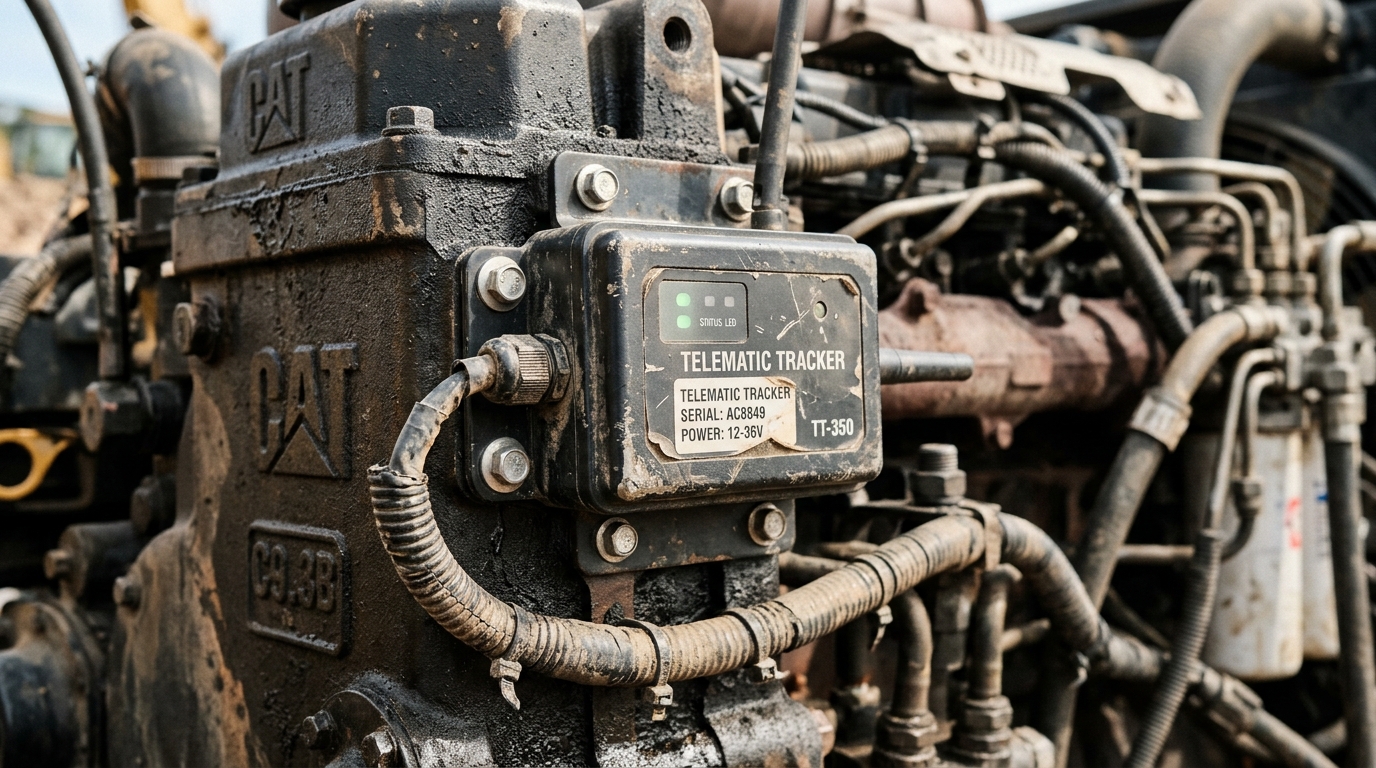
A 40-ton excavator has engine power, constant vibration, and space to hardwire a gateway. A $4,000 plate compactor has a fuel tank and nothing else. A set of hydraulic hoses has no power source at all.
Tracking a mixed fleet means deploying multiple technology tiers. GPS gateways for powered heavy plant. Battery-backed cellular trackers for trailers, generators, and unpowered equipment. Bluetooth tags or scan-based check-in/check-out for smaller tools. Forcing every asset into one device category either overspends on small items or under-protects the expensive ones.
Myth 4: Drawing the fence is the hard part
Drawing it takes seconds. Maintaining 500 active fences across evolving projects, routing alerts to the right superintendent per site, and updating perimeters when a yard layout changes: that’s the actual work.
Alert fatigue kills geofencing programs faster than any technical limitation. When every entry and exit pings the same operations manager for every site, the fifteenth notification of the morning gets swiped away. That one had the backhoe leaving at 3 AM.
Systems that support role-based alert routing, time-of-day scheduling, and dwell filters before notification cut through the noise. Without those, you’re building an expensive annoyance engine.
Myth 5: The tracker itself is secure by default
CISA published an advisory on the MiCODUS MV720 GPS tracker documenting vulnerabilities that could expose asset routes, enable remote fuel cutoff commands, and disarm alarms. Among the documented weaknesses: unauthenticated SMS commands and a hard-coded master password.
Any tracker with remote-control authority becomes a liability if compromised. Authentication, encrypted communication, firmware update paths, and role-based access controls belong in the purchasing decision. Not in a post-incident review.
When Geofencing Saves Millions (and When It Doesn’t)
Three cases illustrate the difference between a boundary that produces data and a system that produces outcomes.
Cable East’s $2.5M story is the most cited in this space. Over 400 machines across distributed telecom sites, geofence alerts triggering investigation when equipment moved off designated locations. But that dollar figure represents successful recoveries, not prevented thefts. The geofence didn’t stop anyone from driving away. It made sure someone noticed and followed through.
The M.T. Laney recovery tells a different lesson. Thieves stole a Bobcat skid steer, removed body panels, and disconnected wires to kill the tracker. The backup battery kept transmitting, and police recovered the roughly $30,000 machine within 15 hours of discovery. In a separate case, Upstate Equipment recovered a stolen T76 loader that had been repainted and relabeled as a T66, with the location history disproving the thief’s cover story. Both cases succeeded because the tracker installation survived deliberate tampering. The geofence perimeter may have generated the first alert, but the outcome hinged on backup power, tamper resilience, retained history, and a human being who acted.
Saint Francis Medical Center operates in a completely different environment. Using indoor RTLS, the hospital configured exit-zone alerts at doors and trash chutes, recovering equipment and saving at least $60,000. A campus-level GPS fence would have been useless here. The value came from matching the boundary technology to the actual spatial problem: a hallway and a trash chute, not a highway.
Across all three: geofencing works when detection connects to response, and when the technology matches the environment. A $50 tracker on a $300,000 excavator is a no-brainer. That same tracker, relied upon to protect a hospital infusion pump behind concrete walls, is not.
Matching Tracking Technology to Your Equipment Mix
There’s no universal “best tracker” for geofencing. There’s the right one for each asset class and environment.
| Technology | Best for | Geofence precision | Key trade-off |
|---|---|---|---|
| GNSS/GPS with cellular | Vehicles, powered heavy equipment | ~5 to 10 m outdoors | Requires sky view and cellular coverage |
| Battery-backed GPS cellular | Trailers, generators, unpowered assets | ~5 to 10 m outdoors | Check-in frequency vs. battery life |
| Satellite-connected GPS | Remote sites, containers in transit | ~5 to 15 m outdoors | Higher per-message cost, lower reporting frequency |
| Bluetooth LE tags + gateways | Tools, small equipment, indoor zones | Room or zone level | Requires gateway infrastructure nearby |
| UWB RTLS | Indoor high-value assets, sub-meter accuracy | Down to centimeter level | Anchor installation cost and density |
| RAIN RFID | Inventory checkpoints, tool cribs | Reader proximity only | No continuous tracking without reader network |
| QR or barcode scan | Low-value tools, custody chain | Scan location only | Human-dependent, no autonomous alerts |
For most mixed-fleet operations, the answer is a layered stack. GPS cellular devices on vehicles and heavy plant. Battery-backed trackers on unpowered assets that rotate between sites—particularly important for rental equipment tracking where assets move frequently. Scan-based or Bluetooth accountability for smaller tools where the cost of continuous tracking would exceed replacement value.
This is the core of what we build at Datanet. A device like the Oyster Edge handles trailers, containers, and unpowered equipment with multi-year battery life and configurable geofence alerts. The Oyster3 fits similar use cases in a smaller footprint. For assets that take daily abuse in the field, compact rugged trackers from our asset tracking catalog fill the gap without requiring hardwired power or constant maintenance.
The goal isn’t to put the same device on everything. It’s to make sure every asset worth protecting has visibility proportional to its value and its risk of walking away.
How to Deploy Geofences That Actually Reduce Loss
Selecting the hardware is half the job. The other half is operational design. Six practices separate deployments that produce ROI from those that produce noise.
Set boundary buffers. A geofence drawn exactly at the property line triggers false alerts every time a truck parks near the gate. Adding 20 to 50 meters of buffer beyond the operational perimeter absorbs GPS drift and legitimate edge activity without masking real departures.
Use dwell requirements before alerting. A forklift crossing a boundary for 15 seconds during routine movement isn’t worth a notification. Requiring an asset to remain outside the fence for two, five, or ten minutes before an alert fires eliminates most of the noise that drives alert fatigue.
Schedule alerts by work hours. Equipment leaving a site at 7 AM on a Tuesday is probably an authorized transfer. The same crossing at 2 AM on a Sunday is a different conversation. Time-of-day filters reduce alert volume by an order of magnitude without reducing coverage when it counts.
Route alerts to the right person. The site superintendent gets alerts for their project. The fleet manager sees cross-site movements. The security team handles after-hours departures. If every alert hits one inbox, no alert gets acted on.
Build the post-alert protocol before you turn on the system. Who calls whom? When does it escalate to law enforcement? Where’s the threshold between “check it tomorrow” and “dispatch someone now”? A geofence that detects a midnight departure is worthless if nobody has authority to respond until Monday morning.
Test under failure conditions. Drive a tracked asset out of the geofence and time the alert. Disconnect power and verify the backup holds. Move the device into a dead zone and confirm the system logs the gap. Kill cellular and check that stored data transmits once coverage returns. If you only test under ideal conditions, you’re measuring the brochure, not the deployment.

Frequently Asked Questions
What is the difference between geofencing and GPS tracking?
GPS tracking records an asset’s location over time. Geofencing evaluates that location against a defined boundary and a set of conditions, then triggers an alert or automated action. A map can show you where something was without generating any notification. A geofence tells you when something crossed a line it shouldn’t have, at a time it shouldn’t have.
How accurate is geofencing for equipment tracking?
Accuracy depends on the positioning technology and the physical environment. GPS delivers roughly 4.9 meters under open sky, with degraded performance near buildings and obstructions. Bluetooth systems offer room-level precision. UWB can reach centimeter-level accuracy with proper anchor placement. Match the fence radius to the technology’s real-world performance at your site, not its best-case specification.
Does geofencing work without cellular coverage?
Detection and notification are separate functions. Many industrial trackers store location data locally during outages and transmit once connectivity returns. For sites with no cellular at all, satellite-connected trackers extend coverage. But stored data alone does not deliver a live alert. Always clarify what the system can record versus what it can notify during an outage.
Can a geofence automatically stop a machine?
Some OEM telematics systems support remote engine disable triggered by geofence events. Bobcat’s European implementation prevents starting a powered-down engine but places a running engine into reduced-power mode rather than cutting it outright. This is product-specific, region-specific, and carries safety implications that demand careful policy design.
What does a geofencing deployment cost?
Total cost includes hardware, installation, cellular or satellite subscriptions, software licenses, and any gateway or anchor infrastructure. Build the ROI model around documented recoveries plus avoided rental costs plus labor savings, minus total operating cost. Cable East’s $2.5M recovery estimate is a compelling reference case, but the math is always site-specific.
Is it legal to geofence company-owned equipment?
In most jurisdictions, tracking assets you own is lawful. Complications arise when location data also reveals employee movements. California Penal Code 637.7, for example, restricts electronic tracking of persons but includes exceptions for the registered owner of a vehicle. Clear usage policies, employee notification, data retention limits, and jurisdiction-specific legal review are non-negotiable.
If your equipment pool becomes invisible the moment it leaves the yard, that’s the gap a properly layered tracking system closes. We design end-to-end IoT deployments for mixed fleets: battery-backed GPS, environmental monitors, and asset visibility platforms tailored to the sites and risk profiles that actually matter. The same engineering principles extend to IoT-based equipment for municipalities and other public-sector fleets. Talk to our team about building one that fits yours.







 +1 508 292 2210

4 Responses